Slick

Slick

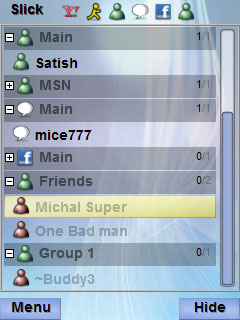
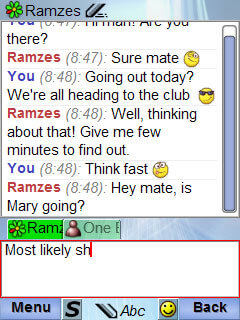
Slick is a messenger application for mobile phones.
It allows you to chat with your friends connected though
various online messaging applications.
Currently it is still in development, beta version
is available for free for public testing.


Download

Downloading Slick
for Android

File: slick_android_0_72.apk
Size: 731 KB
Upload date: January 20 2012


You can also use QR code scanner to get link to installation file directly from your Android device.
Start Barcode scanner, point camera to this image, and open the link with installation file:
Bar code

How to Install APK files on your Android Phone:

There're several possibilities:
  1. Use QR code scanner as described above, take photo of image code, and click download link.
    Then Slick will be installed.
  2. Download APK file to your PC and transfer the file to your Android device over Bluetooth.
    Then expand system bar and click on received Bluetooth file to install it.
    Note: you'll need to have Bluetooth adapter on your PC and enabled Bluetooth on Android device.
  3. Transfer APK file to your Android device's memory card in USB mode.
    Connect device in USB mode so that memory card appears as drive on PC.
    Then copy APK to memory card.
    Disconnect Android device from PC.
    Then start File manager on Android device (may be called "My files"), find the APK file on memory card, and click on it to install it.
  4. Install application AppsInstaller from Android Market on the device.
    This will help you to find all application packages (APK files) on memory card and install the application comfortably.
    You'll still need to copy APK file to memory card as described in point 2).

How to run installed application

Once installed, application may be started by clicking its icon.

Supported devices:

Android version 2.1 and newer